
RunPod GPU Pod Dashboard: Start/Stop Buttons for On-Demand Dev GPUs
A one-page dashboard that turns a handful of RunPod API calls and SSH commands into two buttons - Start and Stop - so spinning up a GPU box for a developer doesn't need a manual runbook every time.
Repository link coming soon
Why I built this
Our company keeps a RunPod account around so developers can get a GPU box on demand - spin one up, run a training job or test a model, then let it go. The problem was never starting a pod; the RunPod console and API make that easy enough. The problem was everything around it:
- Starting a pod meant running the right API call with the right template/GPU settings, then waiting for it to come up, then manually wiring in the developer's SSH key before handing over the connection details.
- Stopping one was worse: RunPod's web console only exposes Terminate, which destroys the pod outright. There's no "pause it, keep it, stop billing" button in the UI at all. The only way to actually stop a pod without losing it was to SSH in and shut it down from the terminal - or call RunPod's API directly, which most people don't know exists or reach for.
None of that is hard, but it's exactly the kind of small, repetitive, error-prone task that shouldn't need a person keeping the steps in their head. So I built a small local dashboard: one card per pod, a Start button and a Stop button, live status, and the SSH connection details shown right there the moment the pod is ready.
What it looks like
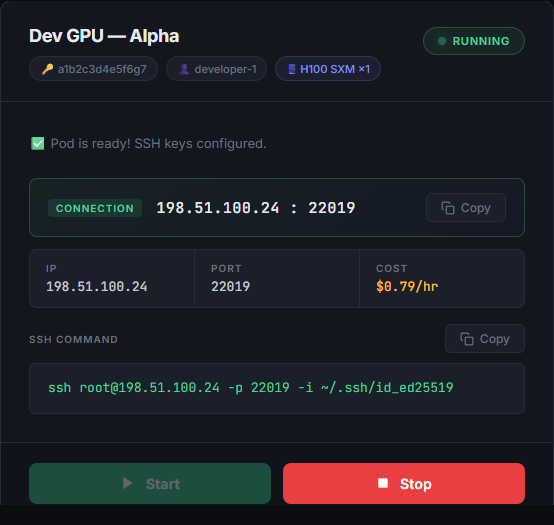
Each configured pod gets its own card. A stopped pod just shows the two buttons; once it's started, the card fills in with live connection details and a ready-to-copy SSH command - no more digging through the RunPod console to find the IP and port RunPod assigned this time:
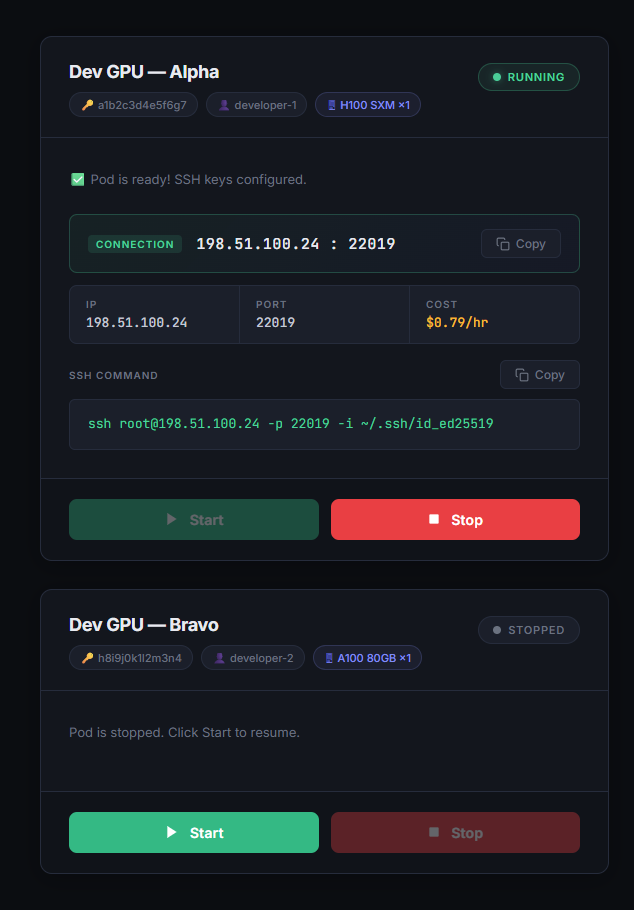
Running state - IP, port, hourly cost, and a copy-to-clipboard SSH command, all populated automatically once the pod actually comes up:
Stopped state - just the pod's identity and a Start button. Nothing to configure, nothing to remember:
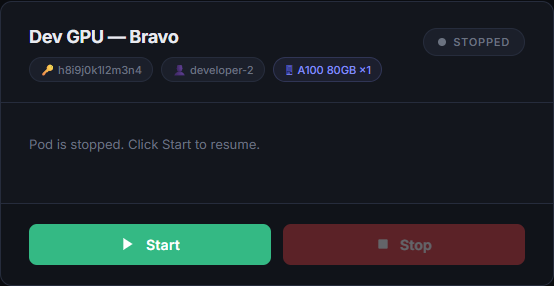
(Pod IDs, IPs, and usernames shown are placeholder demo data - this dashboard sits in front of a company RunPod account, so real identifiers aren't shown here.)
How it's put together
The whole thing is one Python file using only the standard library - http.server for the web
server, urllib for talking to RunPod's GraphQL API, and a background thread pushing live updates
to the page over Server-Sent Events. No pip install needed to run it, no Flask, no requests.
Which pods exist and who they belong to is just a small JSON file, so adding a third or fourth pod
slot is a two-line edit, not a code change.
Flow: clicking "Start"
- The button fires a
POST /api/start/:slot, which hands off to a background thread and returns immediately - the click doesn't block the UI while RunPod spins the pod up. - The worker calls RunPod's
podResumemutation, then pollspod(podId)every few seconds untildesiredStatus == RUNNINGand a runtime with assigned ports actually exists. - Once it's up, the worker reads back the public IP/port RunPod assigned for SSH, then connects
through RunPod's own SSH proxy (
ssh.runpod.io, authenticated with an account-level key) to drop the developer's public key into~/.ssh/authorized_keys- this works even on a completely fresh pod with no prior SSH setup, because the proxy authenticates independently of anything on the pod itself. - Every state change - "waiting", "running", "error" - is pushed to the browser over SSE, so the card updates live without the page ever needing to poll or refresh.
Stopping a pod is the same shape in reverse and much simpler: podStop is called directly against
the RunPod API, the card clears its connection details, and the badge flips back to "Stopped" - no
SSH session, no manual shutdown command, and no risk of reaching for Terminate by mistake.
What it can actually do
- Start / Stop per pod - each pod defined in
pods.jsongets its own card with independent state; starting one doesn't touch the others. - Live progress, not a spinner - the card shows exactly what's happening ("Resuming pod...", "Waiting for pod... (40s)", "Configuring SSH keys...") instead of a generic loading indicator.
- Automatic SSH key setup - no more manually SSH-ing in to create
.ssh/authorized_keysbefore handing a pod to a developer; the dashboard does it as part of the start flow. - One-click connection details - IP, port, and hourly cost shown as soon as the pod is ready,
with copy-to-clipboard for both the
ip:portpair and the full SSH command. - Background status sync - a periodic check against the RunPod API keeps card state accurate even if a pod was started or stopped from somewhere else (like the RunPod console directly).
- Zero-install, double-click launch - packaged with a small
.batlauncher and a generated desktop shortcut/icon, so running it doesn't require anyone to open a terminal or install a single package - it only needs Python itself.
What I took away from this
The interesting part of this project wasn't RunPod's API - it's a straightforward GraphQL endpoint
with a couple of mutations. It was noticing that the actual friction was procedural, not technical:
the platform's own console simply didn't expose a safe way to stop a pod, so the fallback was
SSH-ing in and shutting it down by hand every single time. Wrapping that one API call in a button
removed a small recurring chore entirely instead of just writing it down as a runbook step. It was
also a good exercise in restraint - reaching for http.server and Server-Sent Events instead of
pulling in Flask and a frontend framework kept the whole tool to one file that runs anywhere Python
does, with nothing to install and nothing to go out of date.