
Password Manager: A Local Vault for My Passwords and Server Details
An offline, encrypted desktop app for storing passwords and internal server details side by side - and linking the two together, so I never have to remember which credential goes with which box.
Repository link coming soon
Why I built this
Between work and my own homelab stuff, I end up with a lot of credentials that don't fit neatly into a normal password manager: not just "website + username + password," but things like "this server, this environment, this IP address, and here's the login that goes with it." Browser password managers don't really have a concept of a server, and I didn't love the idea of my infrastructure details living in some cloud vault I don't control.
So I built my own. It's a small Electron app that runs entirely offline, stores everything in a single encrypted file on my own disk, and - the part I actually built it for - lets me track servers as their own thing and link one or more passwords to each one. Add a server, note its IP and environment, and attach the credentials that go with it. No more digging through notes to remember which password unlocks which box.
What it looks like
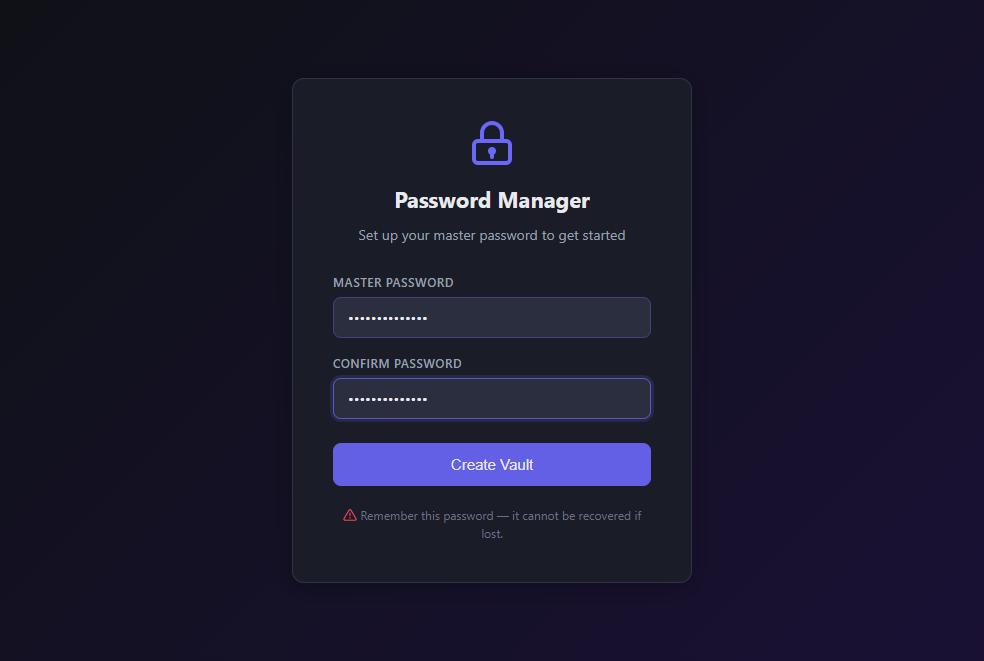
First launch - setting a master password. There's no recovery option by design; if you forget it, the vault is just gone, which is the whole point of not storing it anywhere:
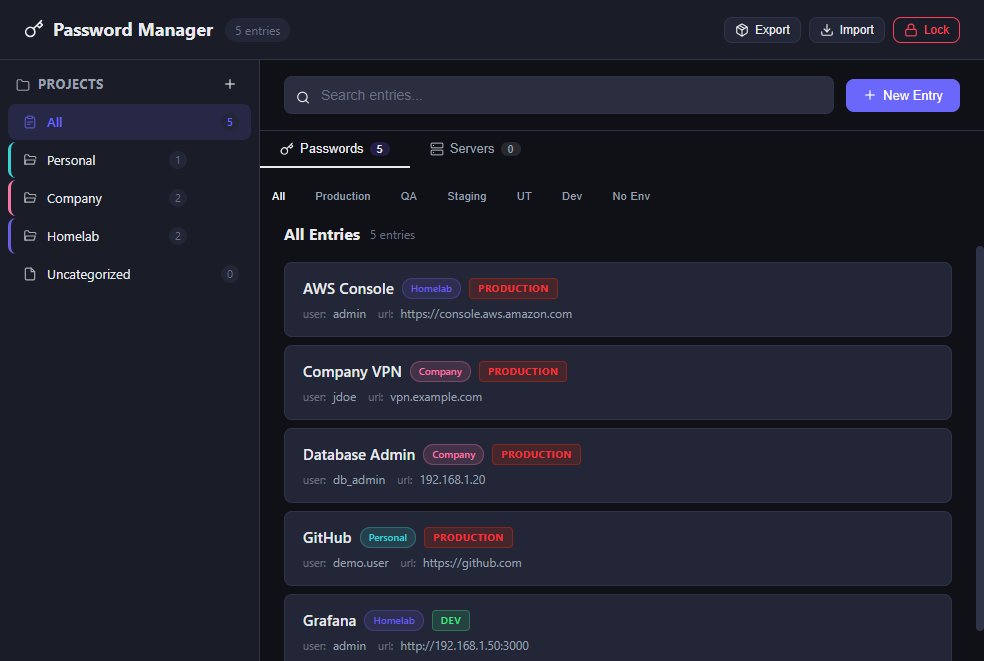
Dashboard, Passwords tab - entries grouped by project, with per-project color coding and an environment badge on anything tied to a server:
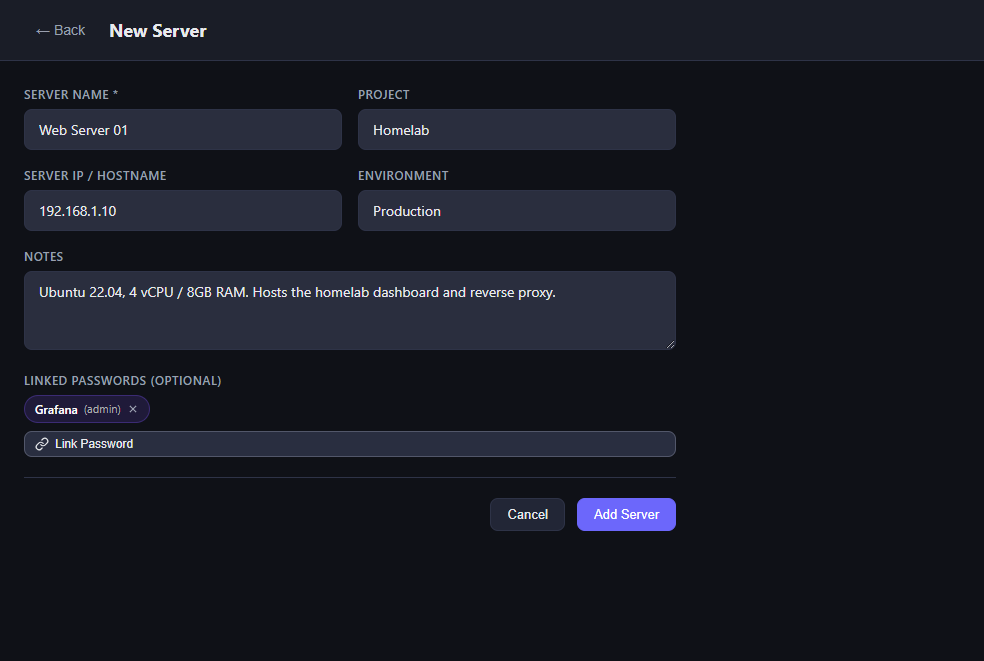
Adding a server and linking a password to it - this is the feature I actually built this app for:
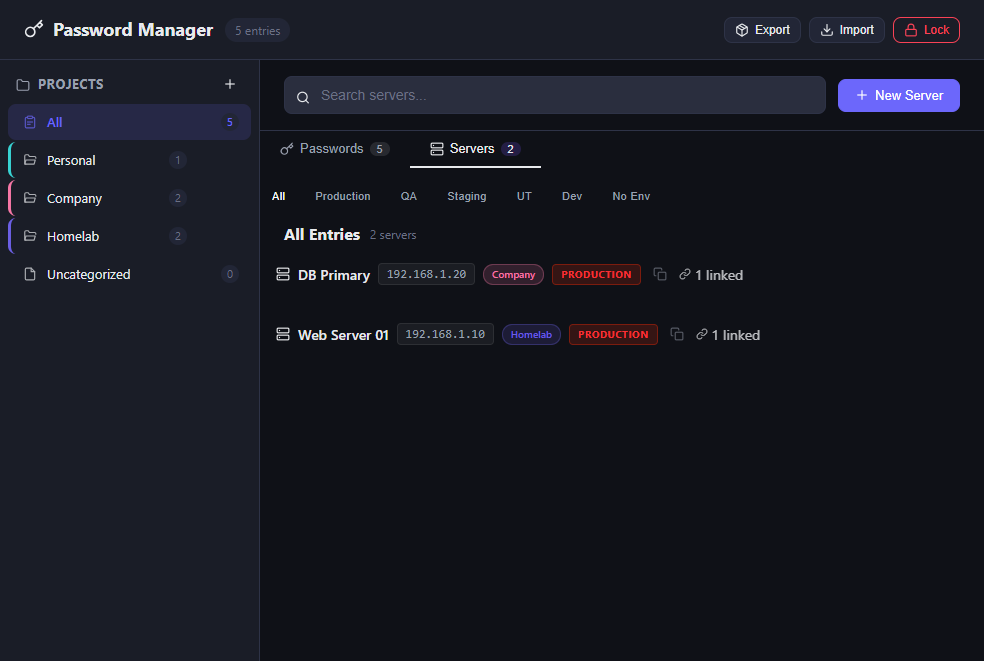
Dashboard, Servers tab - the same project/environment filtering, but for infrastructure instead of logins:
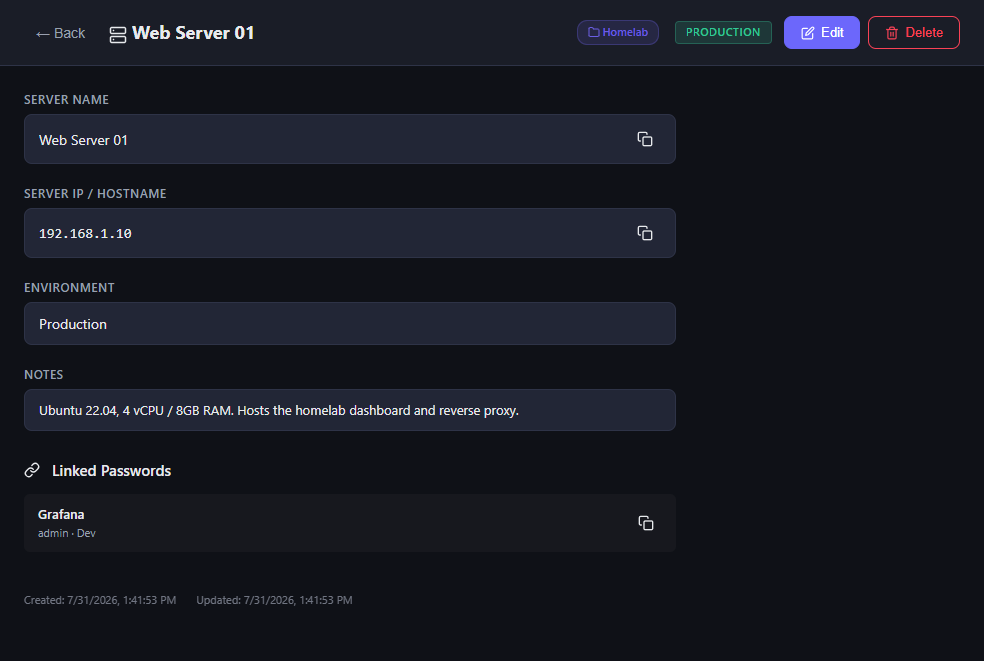
Server detail view - IP, notes, and the linked password sitting right there, one click away:
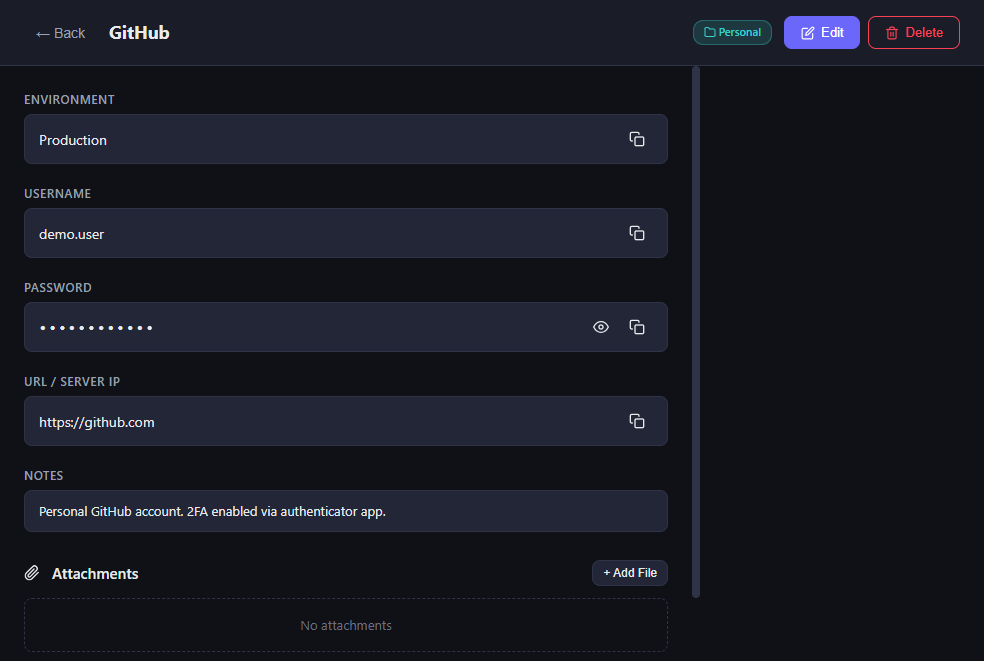
Entry detail view - a single password entry with copy-to-clipboard for both username and password:
How it's put together
It's a fairly standard Electron split: a React front end in the renderer process, and all the
sensitive work - encryption, file reads/writes, clipboard access - happening in the main process,
reached only through a locked-down contextBridge preload script. The renderer never touches the
filesystem or the crypto module directly; it just calls window.api.xxx() and waits for a
response over IPC.
Only the password field on an entry is actually encrypted - name, username, URL, and notes stay
as readable JSON. That was a deliberate trade-off: it means I can grep the raw data file to find an
entry by name without unlocking the app, while the one field that actually matters is properly
protected. The master password itself is never stored anywhere; only a salted PBKDF2 hash of it is
kept, purely to verify an unlock attempt.
The linking feature, in detail
This is the part that doesn't exist in a normal password manager. A server entry can hold a list of linked password IDs, and the "Link Password" picker searches across your existing entries by name, username, or project so you're not scrolling through a long list.
The link is just an array of entry IDs stored on the server record - nothing exotic - but it means opening a server's detail view shows me exactly which credential to grab, instead of guessing from a name like "prod-db-01" and hoping I remember which password entry that maps to.
What it can actually do
- Master password unlock - AES-256-GCM encryption, PBKDF2-SHA-512 with 600,000 iterations, a unique random salt and IV per operation, and a GCM auth tag so tampering with the encrypted data is detectable.
- Password entries - name, username, password (encrypted), URL, notes, and file attachments, organized by project.
- Server tracking - name, IP/hostname, environment (Production/QA/Staging/UT/Dev), notes for things like OS and specs, and a list of linked password entries.
- Personal vs. project-wise separation - a sidebar of projects (I keep "Personal" and separate entries per work project) with per-project color coding and counts, plus an "Uncategorized" bucket for anything not assigned yet.
- Environment filtering - filter either passwords or servers down to just Production, just Dev, or anything with no environment set.
- Search - across name, username, URL, notes, and project, for both entries and servers.
- Copy to clipboard - for usernames and passwords, with an automatic 30-second clipboard clear so a copied password doesn't just sit there indefinitely.
- Password generator - a 20-character random password built from
crypto.getRandomValuesagainst a full alphanumeric + symbol set. - Export/import - a full backup as a zip archive, so the vault isn't locked to one machine.
- Portable data folder - everything lives under a single
data/directory, which makes moving or backing up the whole vault as simple as copying a folder.
What I took away from this
Most of my day-to-day work is on the database and infrastructure side, so this was a good excuse to spend real time in Electron's process model - main vs. renderer, IPC, and just how deliberate you have to be about not giving the renderer direct filesystem or crypto access even in an app only I'll ever run. It was also a nice reminder that the most useful feature I built wasn't the encryption itself (which is mostly "use the well-known primitives correctly and don't get clever"), it was the boring-sounding one: letting two pieces of data - a server and a password - actually know about each other.