
MariaDB Studio: A Personal SSMS-Style Tool for MariaDB
A self-built web app that replaces a folder of ad-hoc backup/restore scripts and commands with a single SSMS-like interface for MariaDB - logical/physical backups, point-in-time recovery, replication monitoring, and a query editor.
Repository link coming soon
Why I built this
I spend most of my day in SQL Server, where SSMS gives you one place to connect, browse objects,
run backups, and watch a restore happen. On the MariaDB side of my personal lab I didn't have
that - just a folder of PowerShell scripts and a handful of mariadb-dump flags I'd copy-paste
every time I needed a backup. It worked, but it was scattered, easy to get wrong late at night, and
gave me zero visibility once a command was running - was it still going, or had it silently died?
So instead of writing yet another script, I built a small web app around the exact commands I was already running by hand. Nothing fancy - one page where I connect to a server, pick a backup type, click a button, and watch it actually finish. It's for my own use, not a product, but it turned into a genuinely useful side project for practicing full-stack work against a real database engine.
What it looks like
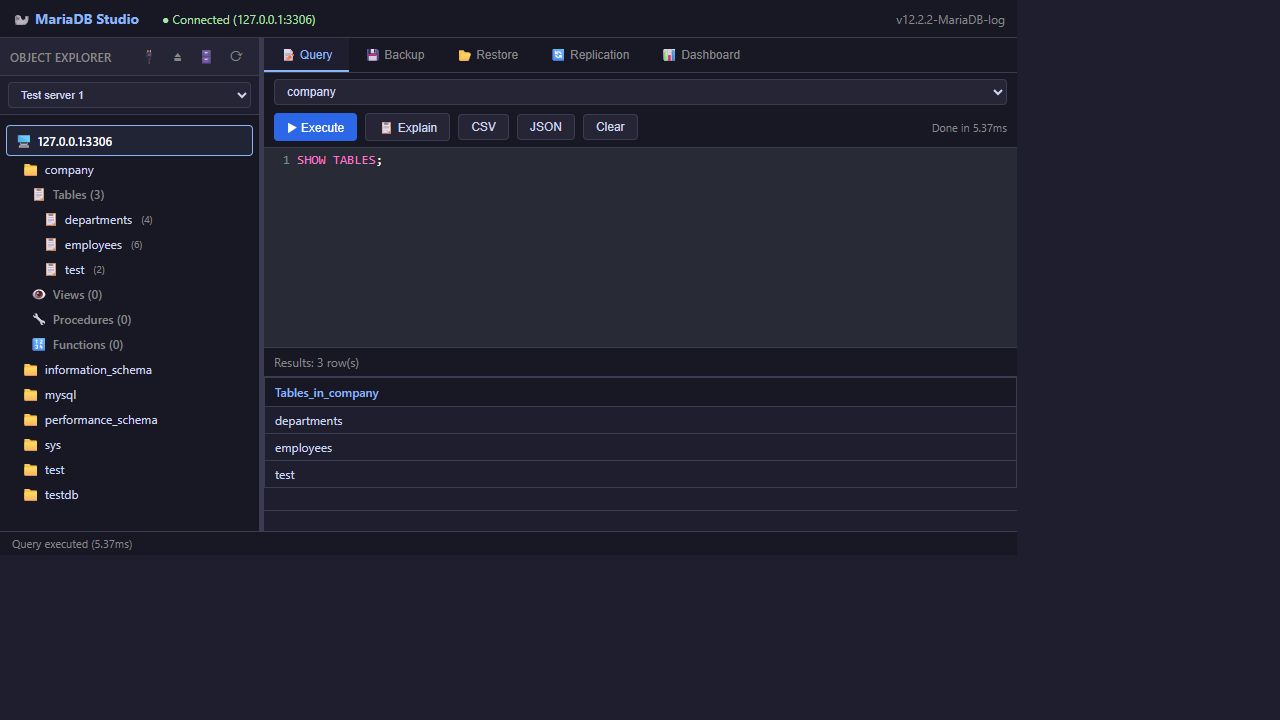
Query editor, connected to a local server with the object explorer expanded:
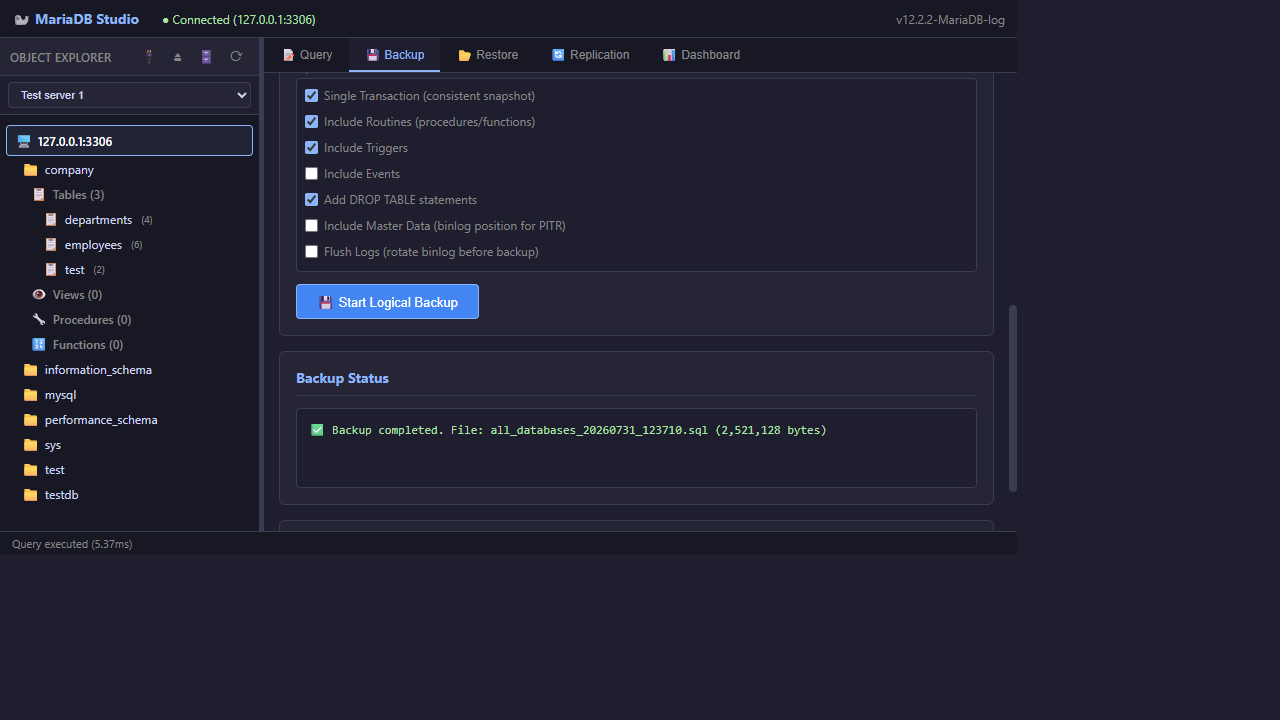
Backup tab, right after a logical backup finished:
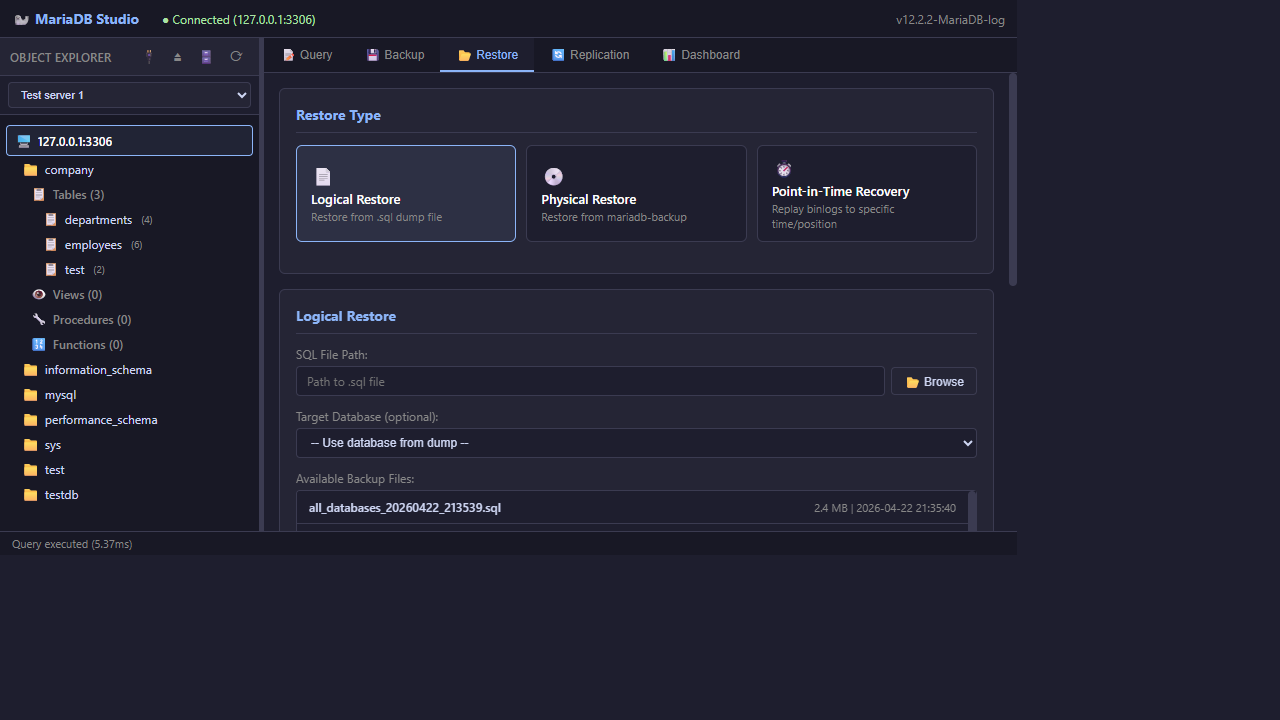
Restore tab, picking from previously saved backup files:
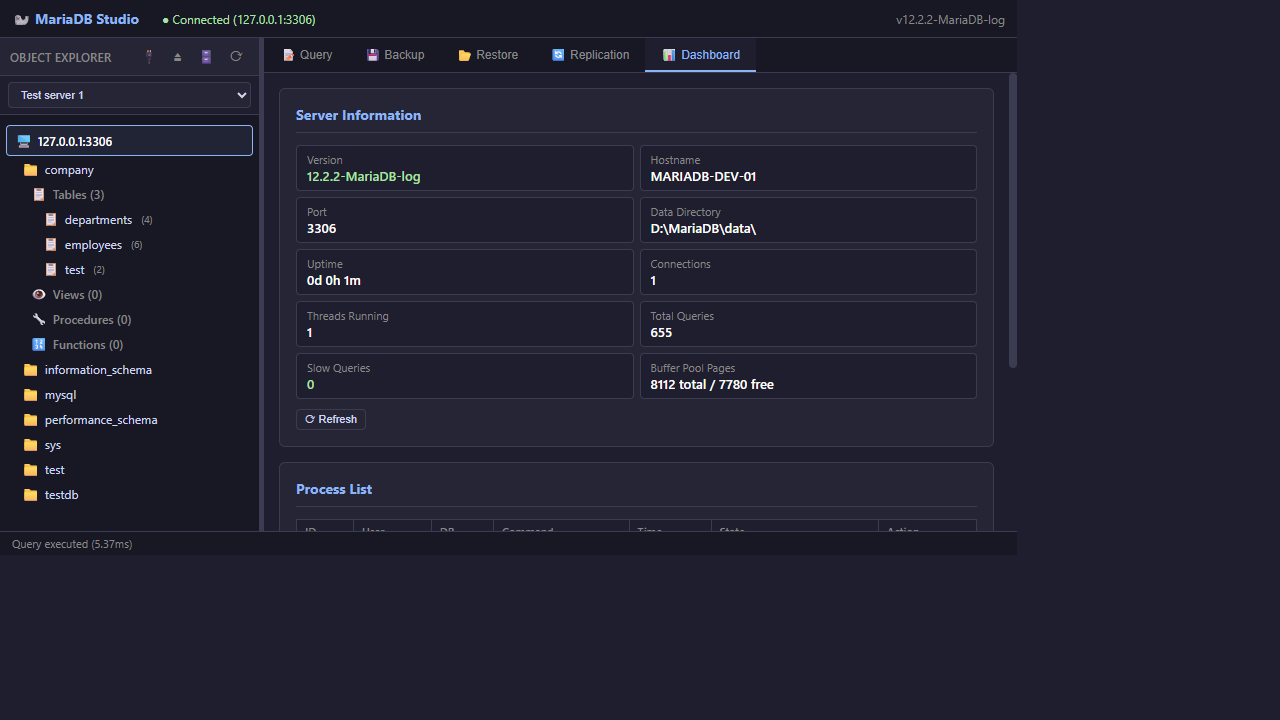
Dashboard, showing live server stats and the current process list:
How it's put together
It's a Flask app with a plain HTML/CSS/JS front end - no framework, just fetch calls against a
REST API. The backend talks to MariaDB in two different ways depending on the job: PyMySQL for
anything that's a query (browsing tables, checking replication status, watching the process list),
and plain subprocess calls to the real mariadb-dump / mariadb-backup / mariadb-binlog
binaries for anything backup or restore related. Backups run in a background thread so the UI can
keep polling for status instead of just hanging on a spinner.
I made a deliberate choice not to reimplement any of the backup logic myself - the app is really
just a friendly wrapper around the same tools a DBA would run by hand. If something goes wrong,
the error shown is the real mariadb-dump stderr output, not something I invented, which makes it
a lot easier to trust and debug.
What it can actually do
- Query editor & object explorer - connect to any saved server, browse databases and tables
through
INFORMATION_SCHEMA, and run ad-hoc SQL with anEXPLAINview when I need to check a plan. - Backup, three ways:
- Logical (
mariadb-dump) - all databases, specific databases, or specific tables, with the usual knobs: single-transaction snapshots, routines/triggers/events, schema-only vs. data-only, and--master-datawhen I need binlog coordinates for a later PITR. - Physical (
mariadb-backup) - full or incremental hot backups. - Binary log backup for point-in-time recovery - grabs the current binlog list and archives each file.
- Logical (
- Restore, matching each backup type - logical restore just pipes a
.sqlfile back in; physical restore runs--prepareand then tells me exactly what manual steps come next (stop the server,--copy-back, restart), since that part genuinely can't be automated safely without real risk; point-in-time recovery replays binlogs up to a specific timestamp or position. - Remote backups over SSH - the same logical/physical flows can run against a Linux box over
SSH via
paramiko, so I'm not limited to whatever's installed locally. - Replication - master/slave status, binlog and relay-log inspection, and a start/stop/skip button for when replication breaks (which, on a scrappy two-node local setup, it occasionally does).
- Dashboard - live uptime, connection count, query counts, buffer pool usage, and a process list I can kill from directly.
- History log - every backup and restore gets written to
history.json, so I can actually answer "when did I last back this up" without digging through file timestamps. - Runs as a desktop app - a small launcher script starts the Flask server on localhost only and opens it in Edge/Chrome app mode, so it feels like a real installed app instead of "a website I have to remember to open."
The part I use the most: logical backups
Day to day, the logical backup flow is 90% of why this exists. It turns a mariadb-dump command I
used to reconstruct from memory into a form with sensible defaults already ticked.
Technologies used
- Python / Flask for the API and background job handling;
flask-corsfor local cross-origin calls. - PyMySQL for everything that's a direct query - the editor, object explorer, replication status, process list.
- The real MariaDB CLI tools (
mariadb-dump,mariadb-backup,mariadb-binlog,mariadb) viasubprocess, with cross-platform binary resolution so it works on Windows and Linux. - Paramiko for the SSH-driven remote backup/restore path.
- Plain HTML/CSS/JavaScript on the front end - no build step, no framework, just talking to the Flask API.
What I took away from this
The biggest thing I learned is that "good backup tooling" is mostly about being honest with yourself about state - showing whether a job is actually still running versus silently stuck, and never automating the one step (stopping the server, wiping the data directory) that genuinely shouldn't be automated. It's a small tool, but it's already saved me from at least one "wait, did that backup actually finish?" moment, which was the entire point of building it.